Update lower thirds and name titles without re-editing
People change roles, companies rebrand, and a video package that was accurate last quarter now names the wrong title. Vtx edits lower thirds directly in the finished file, so keeping published video accurate is routine rather than a project.
Lower thirds are usually animated graphics tied to the editing project, and updating them means re-opening the project, changing the template, re-rendering and checking every instance. Newsrooms and communications teams often have dozens of packages affected by a single change.
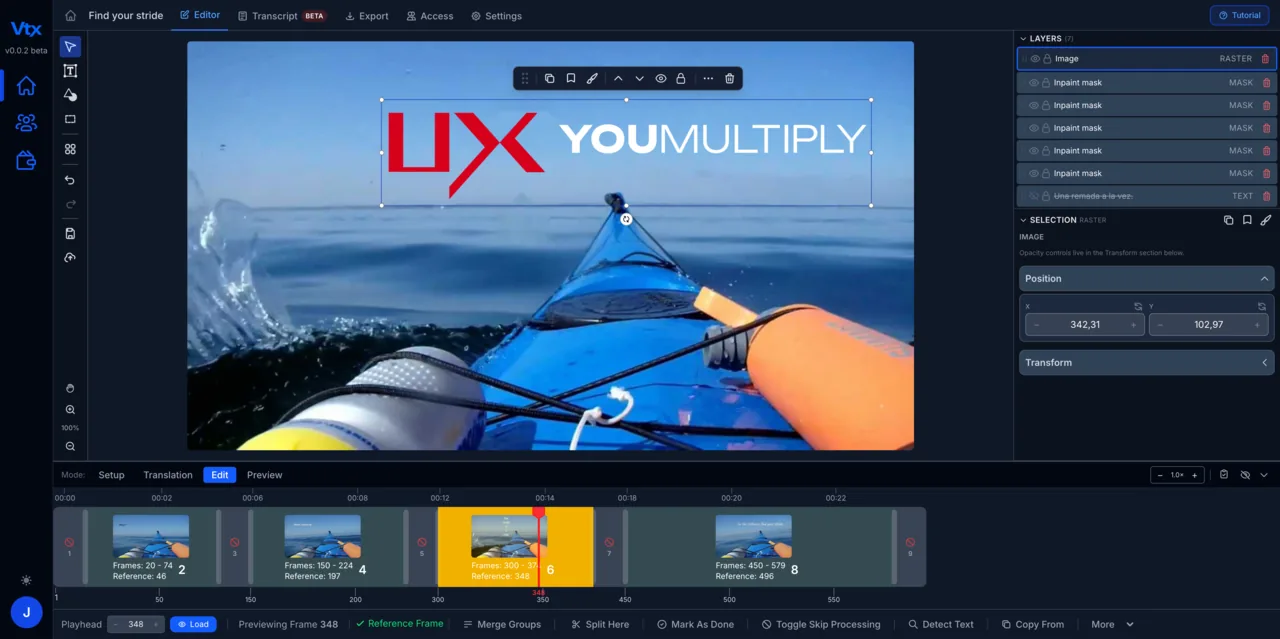
How it’s done
Detect every lower third
Vtx finds each name and title as it appears, including animated ones, and lists them with timings so you can work through a package quickly.
Edit the words, keep the design
The typeface, size, colour, position and animation carry over. You change the text; the graphic stays on brand.
Batch the changes across versions
Overlays are saved with the video, so the same correction can be applied to the next version or the next language without redoing the detection.
From upload to edited video in minutes.
Upload your video
Drop in any rendered video file — MP4, MOV or AVI. No source files, no editing project, no software install.
Vtx extracts every text element
The platform scans frame by frame to detect and lift every piece of embedded text — titles, lower thirds, captions, labels and graphics.
Edit and customise
Replace or rewrite any on-screen text directly. Adjust font, size, position, colour and timing so every edit matches the original design.
Export and reuse
Download the finished video. Every overlay is saved — change the text for the next version or language and export again in minutes.
Common questions
Are animated lower thirds supported?
Yes. Animated and moving text is tracked, and the new text follows the same motion.
Can I change the design as well as the text?
You can adjust font, size, colour and position of each element. Wholesale redesigns are better done in your editing tool; text and styling corrections are what Vtx is for.
How many videos can I update?
As many as you want. The plan is unlimited: process as many videos as you need each month.
“My experience on the updated version of Vtx has been largely positive. There are now many more functions that have greatly improved the workability. I can focus on adding foreign text into the videos more easily.”
Your first month of unlimited access
Fix your first video this month.
Save $461 94% off your first month
Then $490/month; cancel before your renewal and only pay $29. Extra seats $29 per seat per month. Includes an onboarding meeting and a private Discord channel with our engineers.