Edit a video’s text when you don’t have the source files
The agency has closed, the editor has moved on, or the project lives on a laptop nobody can find. All you have is the final MP4. That is all Vtx needs.
Video editors work from a project: layers, timelines, font files and the original footage. Without that project, most tools can only re-encode the video as it is. The usual advice is to re-shoot or re-build, which costs far more than the change is worth.
How it’s done
The finished file is the source
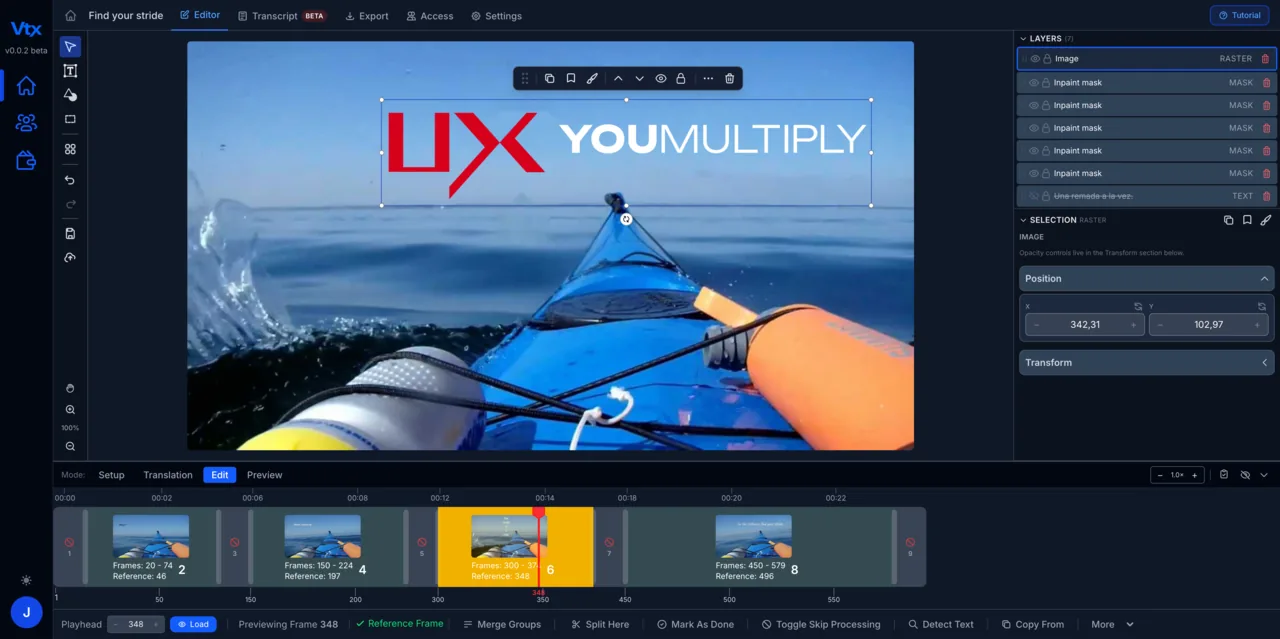
Vtx detects embedded text in the rendered pixels, frame by frame, and turns it back into editable elements. There is nothing else to supply.
Replace, don’t cover
The original text is removed and the background restored before the new text goes on, so the edit does not look like a patch over the old words.
Keep the result editable
Once a video is in Vtx, every text element stays editable for future changes and other languages — you have effectively recovered the parts of the project you need.
A recorded demo, start to finish
Unscripted — recorded during a live customer demo and cut down to the walkthrough.
From upload to edited video in minutes.
Upload your video
Drop in any rendered video file — MP4, MOV or AVI. No source files, no editing project, no software install.
Vtx extracts every text element
The platform scans frame by frame to detect and lift every piece of embedded text — titles, lower thirds, captions, labels and graphics.
Edit and customise
Replace or rewrite any on-screen text directly. Adjust font, size, position, colour and timing so every edit matches the original design.
Export and reuse
Download the finished video. Every overlay is saved — change the text for the next version or language and export again in minutes.
Common questions
How does Vtx know which pixels are text?
It scans each frame with text detection tuned for titles, captions and graphics, groups what it finds into elements, and tracks them across frames so a title that is on screen for six seconds is one element, not 150.
What if the font isn’t installed anywhere?
You choose a font in Vtx. Matching the original closely is usually easy, and because you see the result in context you can adjust size and weight until the replacement is indistinguishable.
Will the quality drop?
The export is rendered at the video’s original resolution and format. Areas without text are left as they are.
“My experience on the updated version of Vtx has been largely positive. There are now many more functions that have greatly improved the workability. I can focus on adding foreign text into the videos more easily.”
Your first month of unlimited access
Fix your first video this month.
Save $461 94% off your first month
Then $490/month; cancel before your renewal and only pay $29. Extra seats $29 per seat per month. Includes an onboarding meeting and a private Discord channel with our engineers.